Reference project
My own home, run and documented like a software system.
A single-storey family house where lights, shutters, heating, ventilation, solar, irrigation and security work as one system. It is where I learned what to plan before the walls close.
At a glance
Every trade in the house is connected.
- Rooms
- 14 rooms and 6 outdoor areas
- Lighting
- About 54 lamps, 50 of them on relays that act as lights
- Shading
- 16 motorised outer shutters and 5 battery inner blinds
- Heating and air
- 6 heating zones, a heat pump, an electric bathroom towel rail, ventilation and a dehumidifier
- Energy
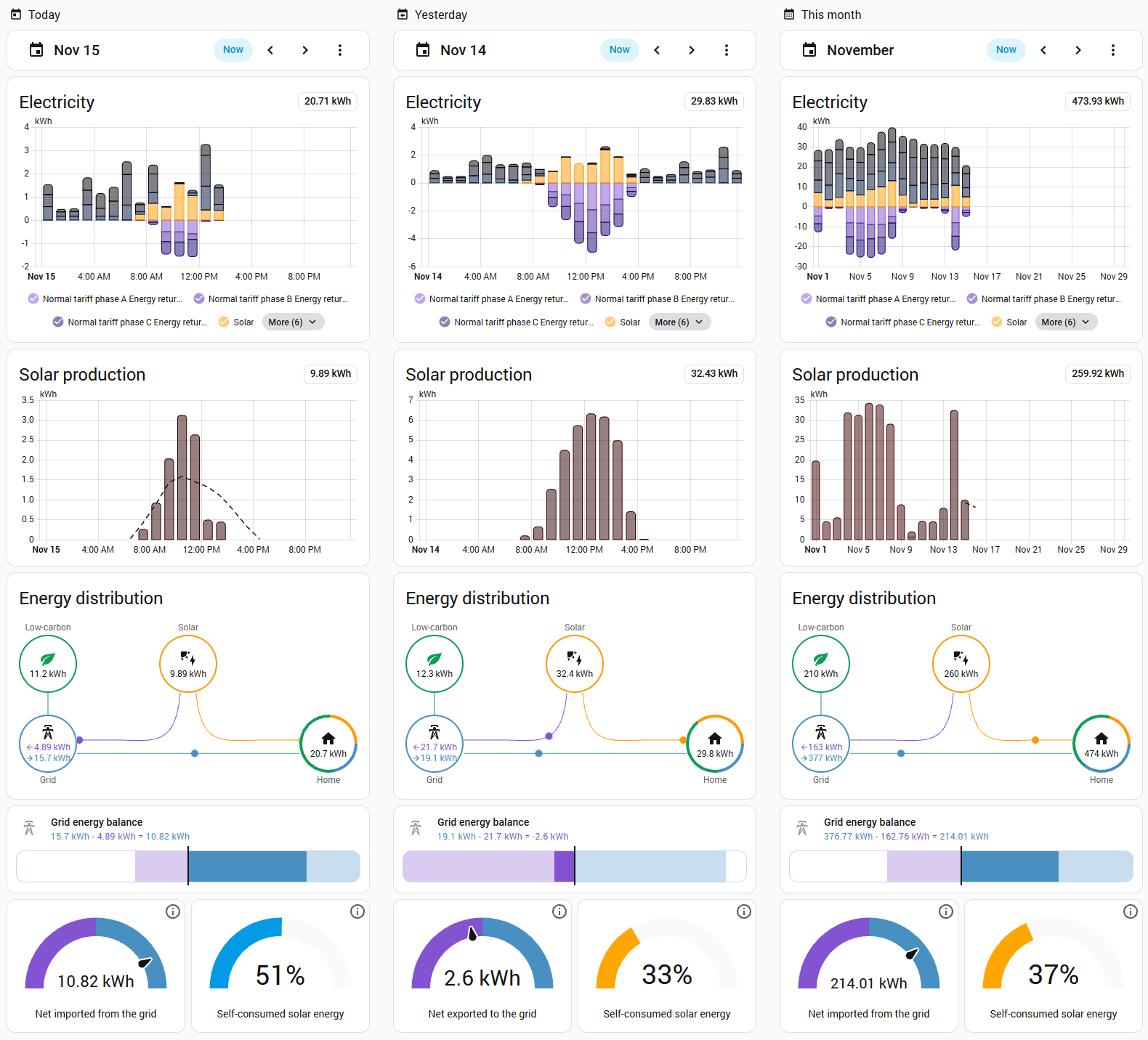
- 17 kW solar read locally, 2 three-phase grid meters (heat pump tariff and standard tariff), 14 metered consumers
- Garden
- 10-zone irrigation and a well pump that fills a tank
- Security
- A burglar alarm, a door station and cameras, integrated
- Devices
- About 155: Sonoff, Shelly, IKEA, UniFi, Huawei, Midea, Honeywell Evohome and others
- Software
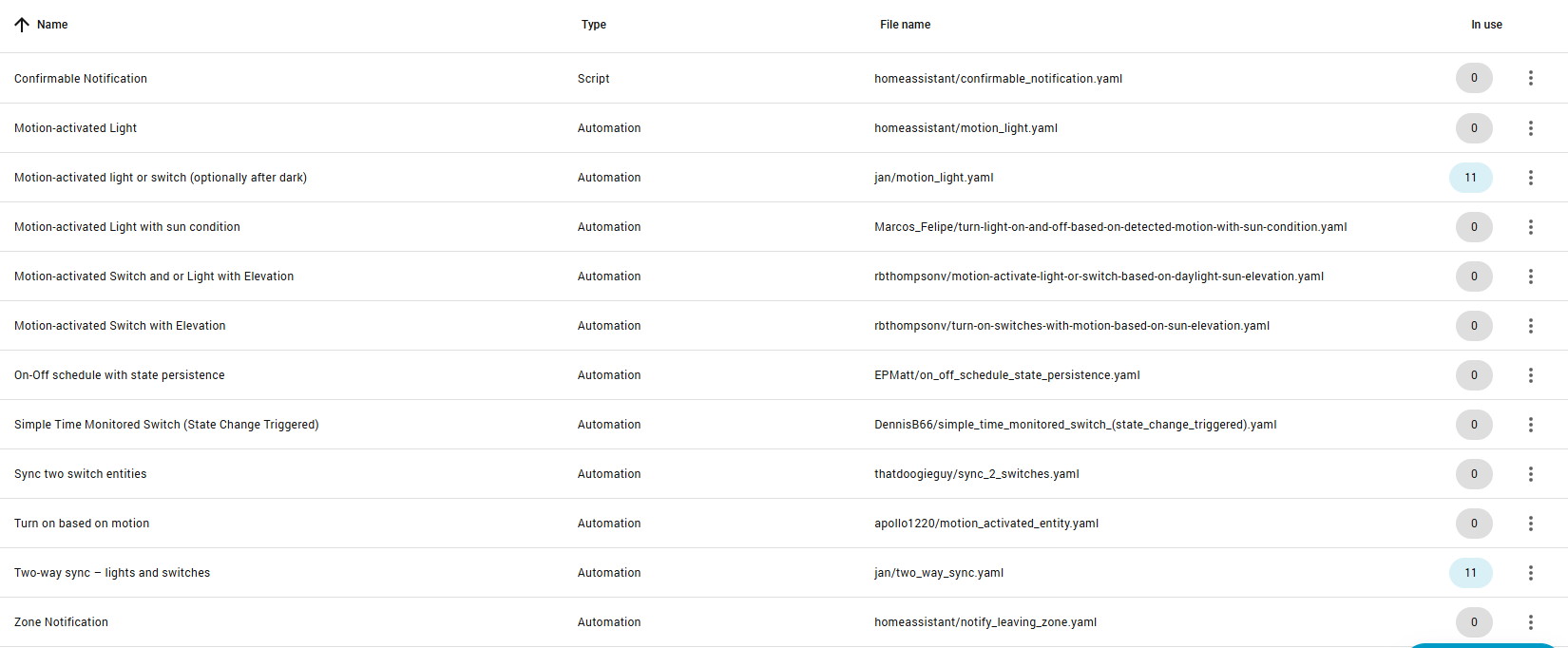
- 75 automations, 11 scripts, 2 blueprints of my own and 3 dashboards, one per role
How it is organised
The rules I set up in your house too.
A naming standard
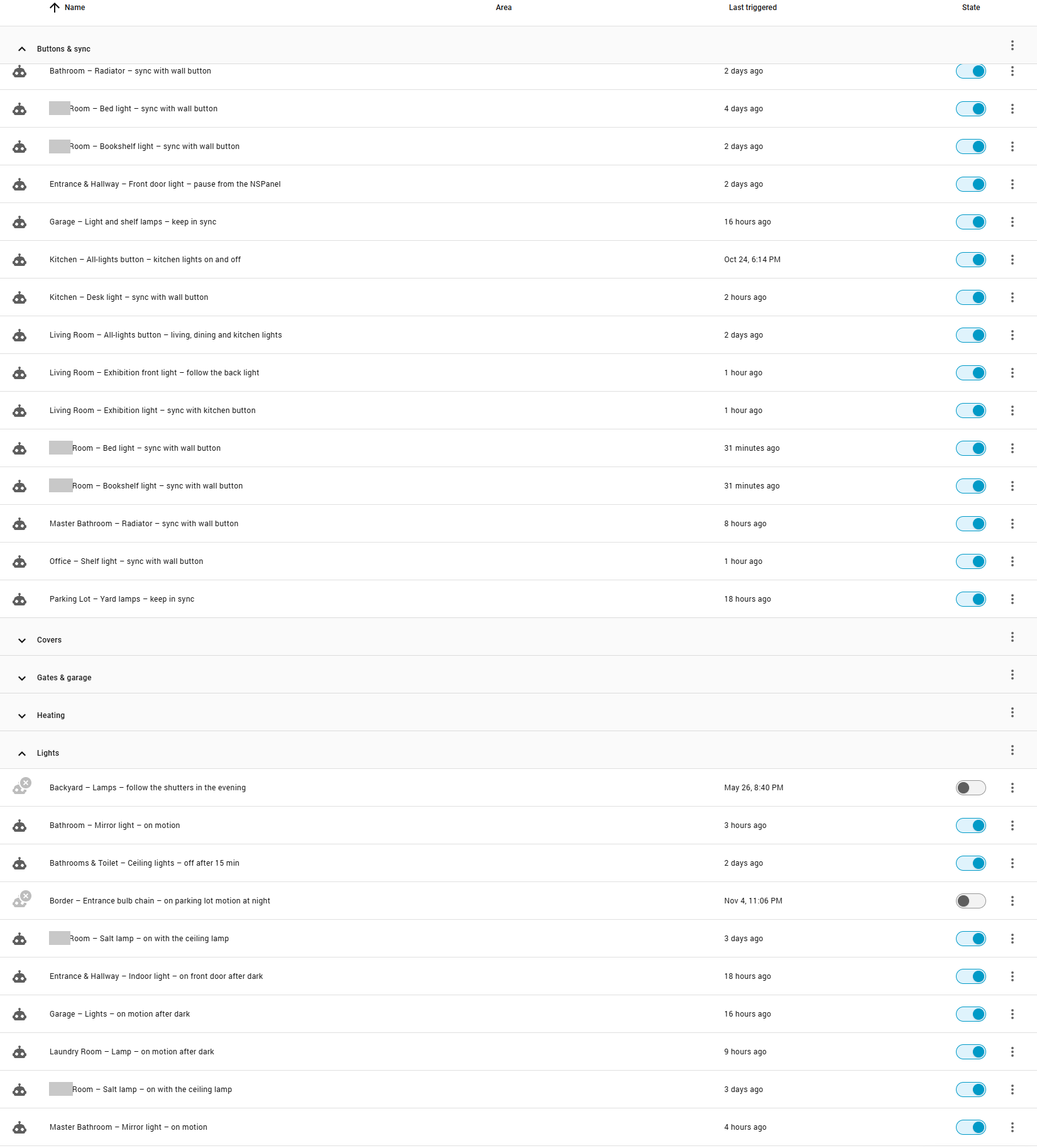
Every automation is named “Room – what – when”, has a plain-language description and one of 12 categories. Device names leave the room out, because the room is already known.
Where it is, and how it behaves
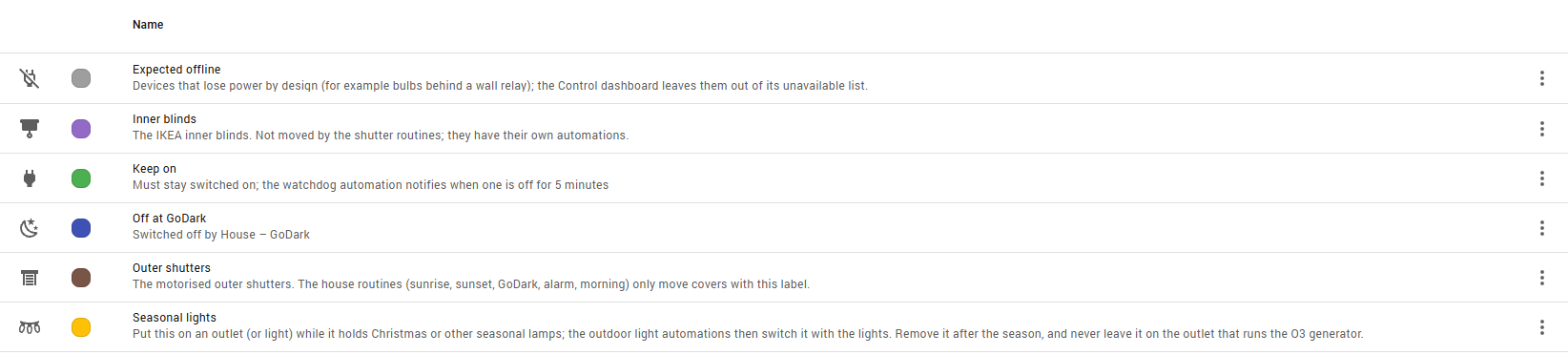
Every device sits in the room where it physically is. What happens to it at night or when you leave is set by a label, not by editing automations. Switches are never switched by room, so “all lights off” cannot cut an outlet.
Reusable building blocks
I made two templates of my own (Home Assistant calls them blueprints): one keeps two devices in step, the other switches lights on motion. They replaced dozens of copied rules: 105 automations became 75, and 16 identical shutter rules became one.
Safety by design
Anything that could harm your health, such as UV lamps, can never switch on by itself: it stays out of every group and voice control, and a separate rule watches it. The cameras and the alarm sensors work in everyday life too, not only against burglars: after dark, for example, motion or an opening door switches on the outdoor lamps.
Local first
The shutter logic runs in Home Assistant, not in a vendor cloud. The inverter, the heat pump and the dehumidifier are read over the local network, so they keep working when the internet is down.
Documentation and backups
The configuration is in version control, with a knowledge base, a change log and a map of which automation calls which. A backup comes before every change.
Areas
Every device has a place.
Devices are filed under the room where they physically are, and rooms under a floor. One tap or one sentence can then reach a room, a floor or the whole house.
Ground floor
- Living room
- Kitchen
- Dining room
- Entrance and hallway
- Master bedroom
- Master bathroom
- Bathroom
- Children's room 1
- Children's room 2
- Office
- Toilet
- Laundry room
- Garage
- Attic
Outdoor
- Porch
- Parking
- Garden border
- Under the eaves
- Outside wall
- Garden house
On no floor
- Power metering
- Alarm
- Isolated loads
Metering, the alarm and loads that need special care sit on no floor, so nothing aimed at a floor can ever switch them.
Automation map
Which automation calls which.
Most automations work alone. The ones that start or switch each other are drawn in the knowledge base, so a change in one place has no surprise somewhere else. This is the map of the evening routines, slightly simplified.
- Automation
- Script
- runs
- switches on
- switches off
Automation examples
Three things the house does by itself.
None of these needs a special device. They come from letting the lamps, the shutters, the sensors and the alarm know about each other.
Garden lamps that know the time and the shutters
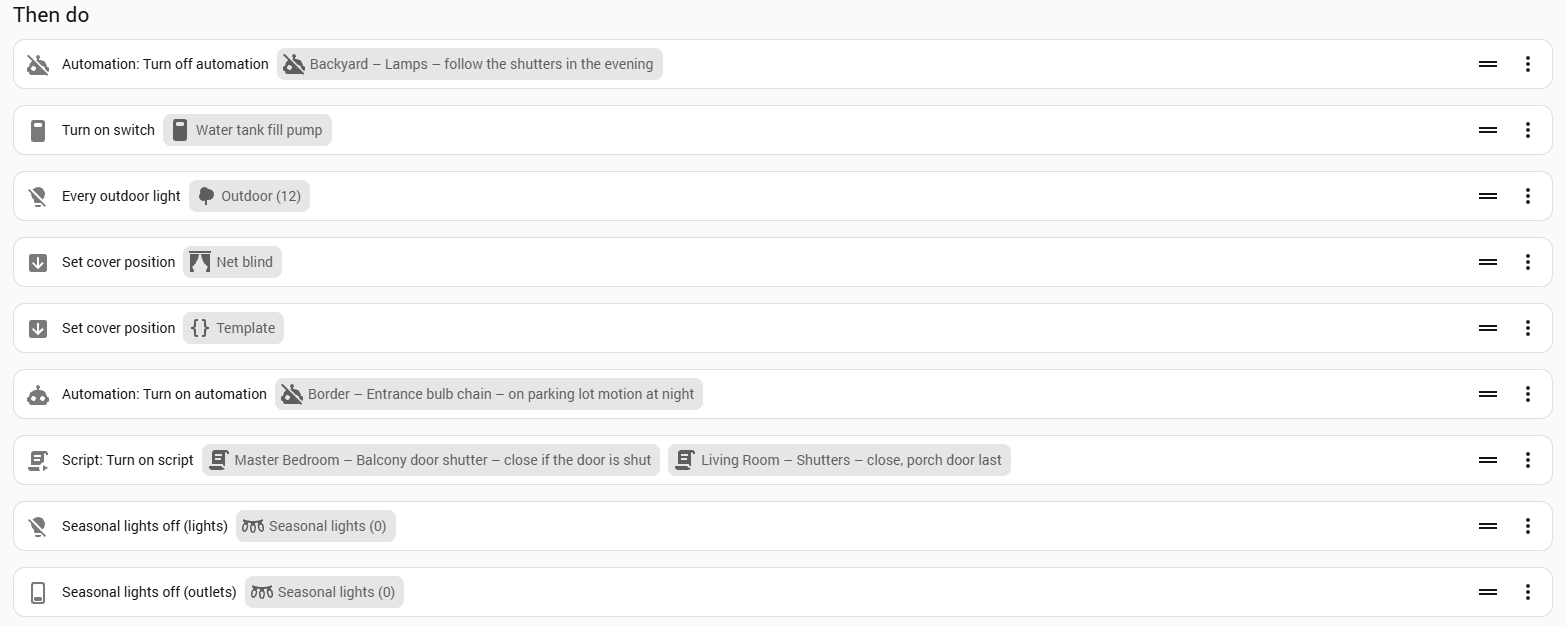
The outdoor lamps come on at sunset. Late in the evening they go off, and from then until sunrise one lamp lights only when something moves. A lamp chain in the back garden follows the shutters: it is lit while a shutter facing it is open, and goes off when all of them are closed, because then nobody can see it.
Saving energy on hot water and fresh air
The hot water circulation pump runs only while someone moves in the kitchen or a bathroom, and stops 15 minutes after the last movement. The ventilation rests at night and while the house is empty, and pauses when a window has been open for 5 minutes, so it never works against an open window.
Lamps and shutters that follow the alarm
Arming the alarm on the way out is the only thing to do when leaving: the shutters close, the lights go off and the consumers nobody needs are switched off. On disarming, the house comes back as the time of day asks: shutters open by day, evening lights on after dark.
In pictures
The system as I see it every day.
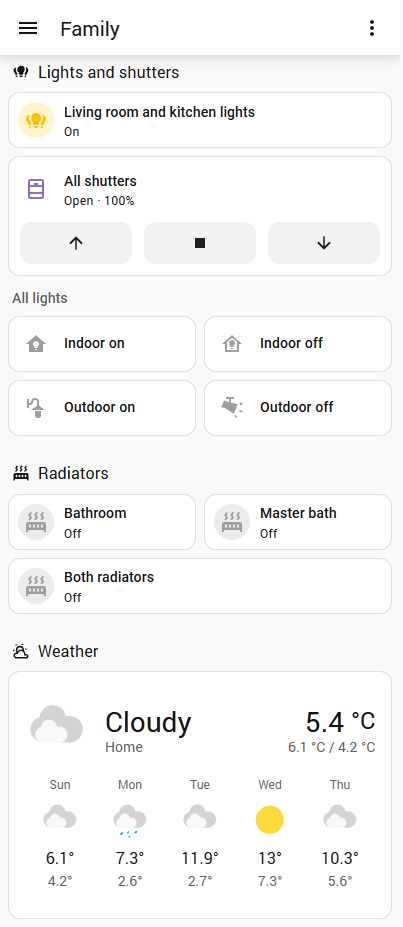
Screenshots of my own Home Assistant, built from standard cards only. Select a picture to see it full size.

Lessons
What I now plan for up front.
Each of these is one line in a specification before the walls close, and rework afterwards.
Cable every access point
Two access points could not be cabled, so the coverage needs an extra wired one. Replacing a single cable took one link from 100 Mbit/s to 1 Gbit/s.
Put relays in the cabinet
Relays at the garden edge sit at −83 to −87 dBm. One outdoor switch lost its connection 37 times in a week.
Ask for position feedback
A gate controller that only takes a 2-second impulse cannot report open or closed. Shutter switches without feedback leave Home Assistant estimating from travel times, measured at 14–39 s per shutter.
Specify a local interface for the heat pump
Over the vendor's Wi-Fi route a heat pump may report only its set points: no flow or return temperatures, compressor data or error codes.
Start with durable hardware and tested backups
The server's SD card failed once. The system came back from an off-device backup without losing anything.
Prefer local integrations
One cloud-polled sensor went unavailable 1,840 times in 7 days.
Build in delays where a glitch has consequences
An alarm panel can flicker between states for a second or two. Routines that close shutters or cut power wait until the state is stable.
Settle names before the first device
Phones, car displays and watch shortcuts store the internal IDs of devices, and renaming later breaks them without a warning.
Ask for an offer
Tell me about your home.
The first 30-minute consultation is free, whatever your question. On that call we find out together whether I can solve your problem. If we both see that I can, we go on; if not, I will tell you so, and where it makes sense, recommend a partner.
My aim is not to bill as many hours as possible, but for you to be happy with what you get for your money, and in the end to enjoy the benefits of your smart home, not to have it make your life a misery.
A few lines are enough to start; these help me prepare:
- The stage you are at: early plans, permit design, under construction, a renovation, or a finished house or flat
- The existing constraints, above all for a renovation or refit: for example what has to stay, what can be changed, and the budget
- A floor plan if you have one, the size of the house or flat and the number of rooms
- What you would like the house to do for you
- The smart devices you already have, and the trades already chosen
- When the electrical design or the build starts
I reply with questions or a proposal for the workshop, and after the workshop with a written offer in engineering hours.