St. Anna, Bia
How the sample set was assembled
From 213 single-note recordings to a playable organ in Hauptwerk 4: a first trial, to be replaced when I have better recordings.
This text was generated by AI from curated notes and may contain errors. Corrections welcome
From recording to sample
- The masters are never changed; all the work is done on copies.
- In Audacity, each pipe gets one region label; then the blower noise is reduced, with the room tone as the noise profile.
- Each sample starts only 20–50 ms before the pipe speaks. My first samples started 0.5–1 s before the pipe sounded, which Hauptwerk turned into 0.5–1 s of delay on every key.
- In LoopAuditioneer, each pipe gets two long sustain loops, chosen by ear, a release cue at the very first moment of the decay, and its measured pitch, written into the WAV file. The recorded pipes are never retuned.
- The first rule was no EQ, compression, limiting, normalisation or fades. The finishing work relaxed it in a few places, on working copies.
- In Hauptwerk 4, Octava 4' and Dolce 4' are set up as on the real organ: they play the Principal 8' and Salicionál 8' pipes an octave higher.
Finishing work, 25–28 October 2026
The finishing work was done with AI help; see what the AI did.
- Against the loud start: an attack correction on the samples of all four ranks, since they were all recorded with the same microphones. On all Födött 8' (Gedackt) and Subbass 16' samples, 81 files, it is a 6 dB dip over the first 1.5 seconds of each note (full −6 dB from 0.18 to 0.65 s after the pipe starts, with smooth transitions); I compared a 3 dB and a 6 dB version by ear and chose 6 dB. The loops are untouched. It compensates for the microphones; it cannot bring back the real attack.
- A fade at the end: 0.15 seconds at the very end of all 213 samples, so that the background noise does not stop abruptly after the reverberation.
- Salicionál and Dolce levels: the 12 Dolce treble pipes, recorded in a separate take, were much louder than most of the rank. A first try raised the quieter notes instead, by up to 27 dB, with extra noise reduction; the hiss became too loud, and I went back to the backup. The accepted version lowers the 12 treble pipes by about 12–25 dB to the level of the rank's top notes and raises only 11 unusually quiet notes, by at most 1 dB.
- Chirps: short “chirp” noises at the start of a few notes, around 6.3 kHz and 9.5 kHz, and a low noise at one release were filtered out locally, only in the first 0.35 seconds or around the release. Their source is not proven; probably action noise from pressing keys and pedals too hard. The attacks are much better.
- Two Principal notes had a sudden level jump in their first 0.1 seconds. The set uses repaired copies of them.
- Pitch: the pitch of every sample was measured again from its harmonics. Most stored values were within 2 cents. One Principal f was stored as about 184 Hz while it sounds at about 172.7 Hz, which would have put it out of tune in Hauptwerk; it has since been corrected. Four Födött values were corrected; for the other ranks I have recommendations.
The virtual console
The Hauptwerk console is a single touch page. Its row of tabs follows the real console, in the same order: Pedálcopula, Oktávkopula, Subbass 16', Principal 8', Födött 8', Salicionál 8', Octava 4', Dolce 4', Mezzoforte, Forte, Kiváltó. Below them are the manual (54 keys) and the pedal (27 keys).
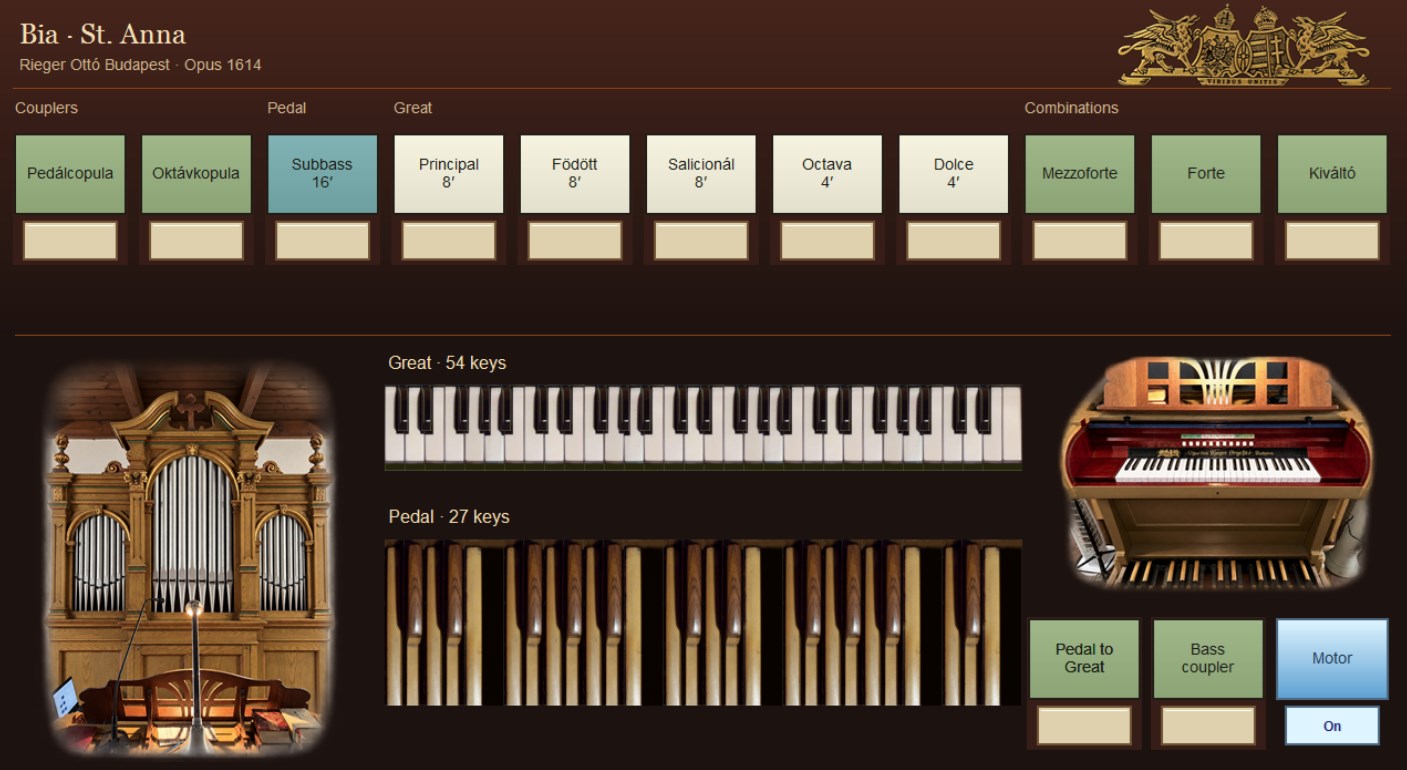 (larger photo)
- Mezzoforte and Forte work as reversible presets with the stops of the real combinations: switched on, a preset draws its stops; switched off, the registration from before comes back. Kiváltó is Hauptwerk's general cancel.
- Two digital aids that the real organ does not have: “Pedal to Great” (manual keys in the pedal range also play the pedal stops) and “Bass coupler” (only the lowest held manual note plays them). Both start switched off.
- A Motor switch: ON plays the raw blower recording, OFF a noise-reduced one, about 12 dB quieter, looped from the 30-second room tone. At first Kiváltó also switched the Motor back on; now it leaves it alone.
- The console graphics were drawn by program. Generative image editing was used only for the decoration.
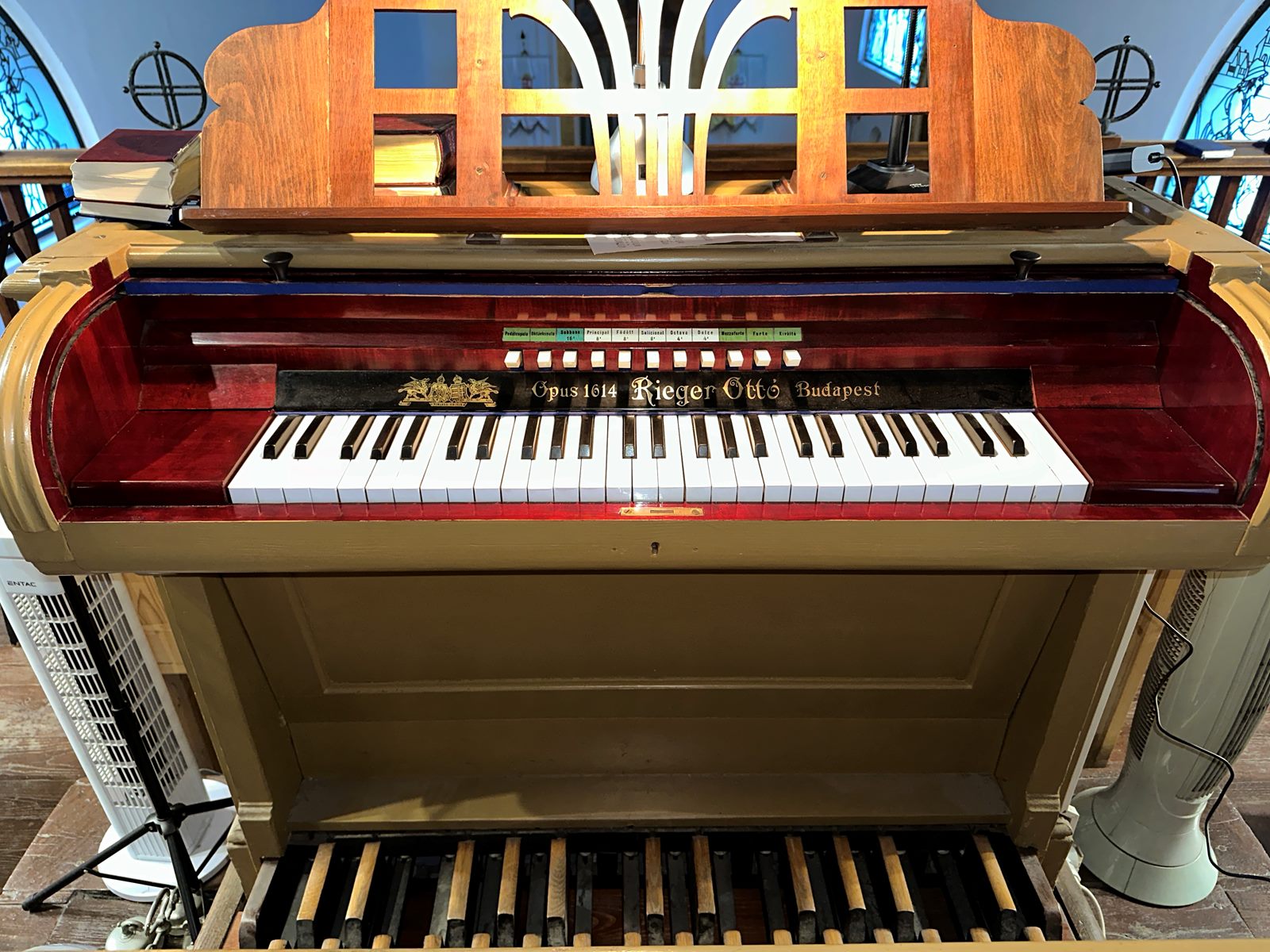 (larger photo)
Two reconstructed notes
Two of the 213 samples are not recordings of their own pipes, because those pipes did not sound in the session (see what I observed). They were reconstructed from neighbouring pipes, with pitch shifting and time correction:
- Salicionál 8', a²: made from the a♯² recording, about 105 cents lower.
- Subbass 16', the top note, d¹: made from the c♯¹ recording, about 97 cents higher.
Status and download
On 28 October 2026 all four ranks and all six stops were playable in Hauptwerk. Not every processed sample has been listened to yet. The set is a first trial, to be replaced when I have better recordings.
Download
Sample set v1 for Hauptwerk 4
- First trial
- RAR archive, 347 MB
All four ranks and all six stops are playable, and the Mezzoforte and Forte combinations work too. Not every processed sample has been listened to yet, and the set will be replaced when I have better recordings.
Two of the 213 samples are reconstructed from neighbouring pipes. How the set was made
No Hauptwerk? The free program Masterpiece may also load the set. How to load it
Download sample set v1SHA-256 checksum: 56904bc9764a8ea7d39a463acd7b9d145230cb76978bef6e24907d1c47a8e866
Without Hauptwerk: Masterpiece
If you do not have Hauptwerk, the free program Masterpiece may also play the set. It is open source, runs on Windows, macOS, Linux, Raspberry Pi OS, Android and iOS, and loads Hauptwerk-format sample sets whose samples are not encrypted, also straight from a RAR package like mine. If you try it, I would like to hear how it went.
- Install Masterpiece from its website.
- Download the set, choose File > Open… in Masterpiece and select the RAR file itself; there is no need to unpack it.
- On the first load, the Organ settings open before the samples load: check them and click Keep changes.
- Connect and switch on your keyboard and pedalboard before you start Masterpiece. In Settings > General settings > MIDI, tick them under MIDI inputs and give the manual and the pedal their MIDI channels.
- To work the stops from your console, right-click a stop on the screen, choose Learn and press the button you want to use.
These steps follow the Masterpiece guide, which explains the details:
- Masterpiece (opens in a new tab)The program: download, systems and features.
- Masterpiece guide: opening an organ (opens in a new tab)From a folder or straight from a RAR package, and what it cannot open.
- Masterpiece guide: MIDI and consoles (opens in a new tab)Keyboards and pedalboard, a MIDI channel per manual, MIDI learn for stops and pistons.